


 1 / 11
DawnOne™ Sunrise Alarm Clock
Wake with light. Wind down with sound.
SAVE 25% Proudly Australian Owned & Designed for Life Here
 Risk-Free Shopping · 60-Day Money-Back Guarantee
 Easy to Use
SALE ENDS IN--:--:--
In stock
LIMITED-TIME OFFERSAVE 25%
DawnOne™ Sunrise Alarm Clock$99.99
Total value$99.99
You save$25.00
You pay$74.99
or 4 interest-free payments of $18.74 with afterpay
?WHAT’S INCLUDED?⌄
- Wake-up light
- USB cable
- User manual
✓PRODUCT DETAILS⌄
DawnOne™ is a sunrise alarm clock and wake-up light from OpenClip, an Australian-owned brand. Set the light to begin 10, 20, 30, 40, 50 or 60 minutes before your alarm, and choose to wake with light, sound or both.
For your evening routine, DawnOne offers 30 built-in sounds, 12 light colours and Bluetooth audio. The 15 cm clock has a USB-C power connection and controls on the device.
↔TECHNICAL SPECIFICATIONS⌄
- Colour
- White
- Diameter
- 15 cm
- Power connection
- USB-C
- Built-in sounds
- 30
- Light colours
- 12
- Bluetooth
- 5.3
- Sunrise lead time
- 10, 20, 30, 40, 50 or 60 minutes before your alarm
↩RETURNS⌄
Read our returns policy. Eligible change-of-mind returns are for store credit; Australian Consumer Law rights are unaffected.

DawnOne™ Sunrise Alarm Clock
See it in action
MADE FOR REAL LIFE
Start with the way you wake.
Choose light, sound, or both for your morning alarm.
Sunrise on your schedule
Start the sunrise light 10, 20, 30, 40, 50 or 60 minutes before your alarm.
Choose your alarm sound
Pick from seven alarm sounds and adjust the alarm volume to suit you.
Light, sound, or both
Choose a light-only alarm, a sound-only alarm, or use them together.
FROM MORNING TO EVENING
One place for your bedside essentials.
An alarm for the morning, light for the room and audio for the moments in between.
Morning routines
Keep a dedicated alarm beside your bed.
Evening downtime
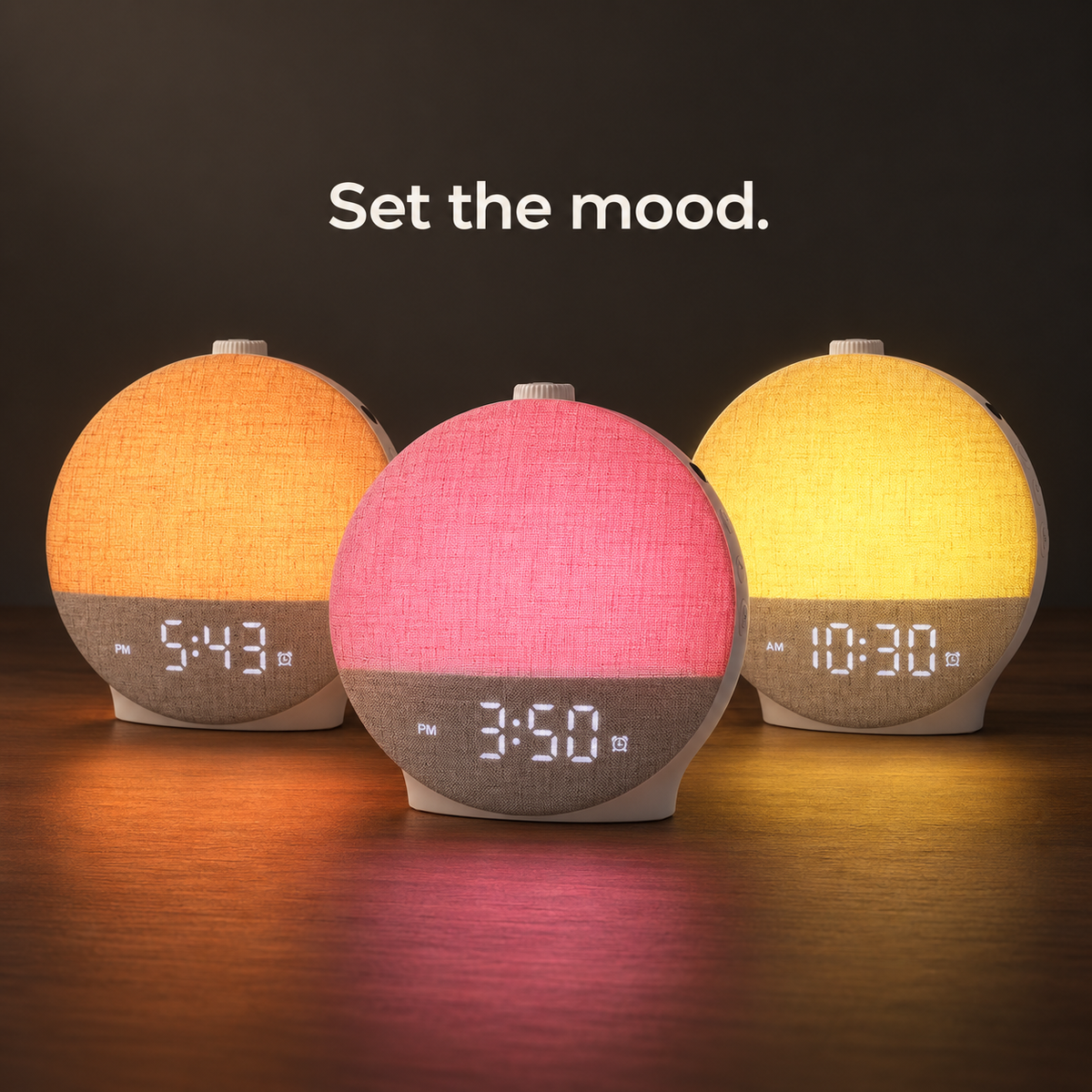
Set the atmosphere while you wind down.
Everyday listening
Play audio from your phone over Bluetooth.
Bedtime timers
Set a sleep timer for your evening routine.
SET YOUR MORNING
Your alarm, in three steps.
Use the alarm button and top rotary control to set your routine.
- 1
Open alarm settings
Press and hold the alarm button to enter alarm setup.
- 2
Choose your settings
Use the rotary control to select the time, alarm sound, volume and sunrise lead time. Press the control to confirm your selections.
- 3
Switch your alarm on
Press the alarm button to turn the alarm on or off.

CUSTOMER REVIEWS
Customer reviews
Can I wake up with light only?
Yes. In alarm settings, select OFF for the alarm sound and choose a sunrise setting.
Can I use the alarm without sunrise light?
Yes. Select OFF for sunrise and choose an alarm sound.
Does the light start before the alarm?
You can set sunrise to start 10, 20, 30, 40, 50 or 60 minutes beforehand. Select 0 to start light and sound together.
Can I play my own audio?
Yes. Connect your phone over Bluetooth to play your own audio.