
15 October 2026
How to Turn a Travel Photo Into a Custom Kinusaiga Pattern
By OpenClip
Choose a travel photo with a clear subject, simple shapes and a memorable palette, then crop and prepare it for a personal custom Kinusaiga pattern.
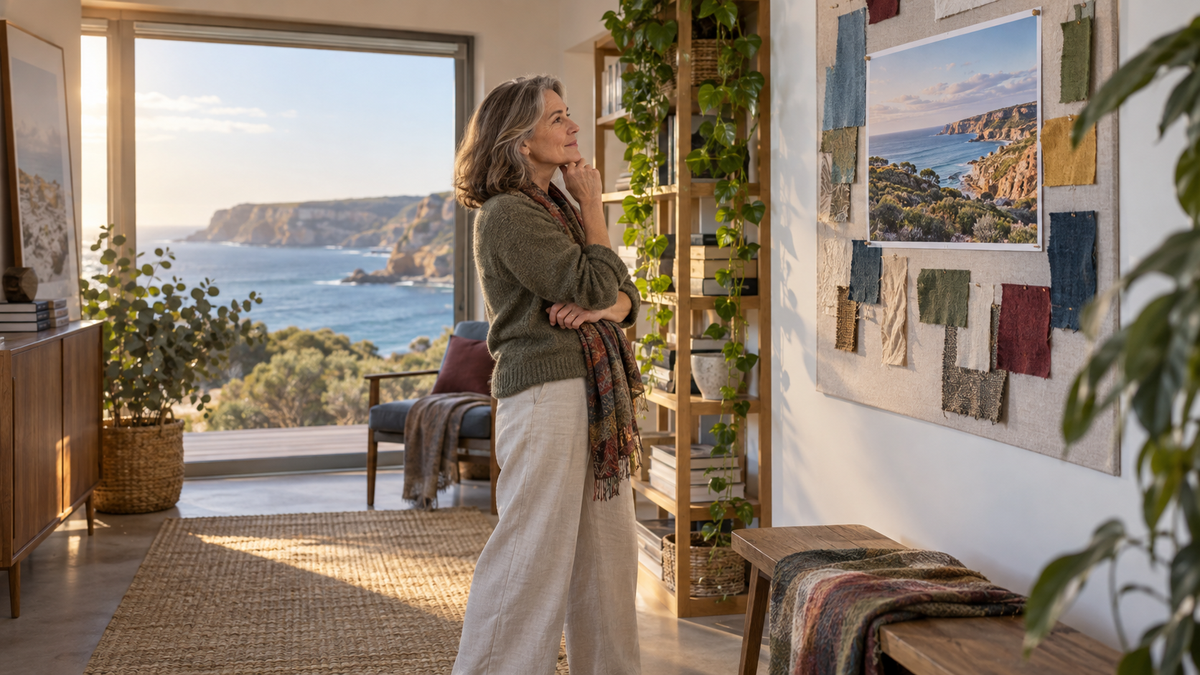
A good travel photo for a custom Kinusaiga pattern does more than record a place: it holds one clear memory. Choose a scene with a strong subject, a simple silhouette and colours you still enjoy. Then decide what can be simplified, cropped or softened so the finished fabric interpretation feels personal rather than crowded.
Begin with the part of the trip you want to remember
Travel folders are often full of beautiful views, but the most impressive photograph is not always the most meaningful one. A quiet doorway, a coastline seen on an afternoon walk or the shape of a favourite garden can carry more of the trip than a wide panorama.
Before choosing the image, finish this sentence: “I want this project to remind me of…” Your answer might be the colour of the water, a particular day, the feeling of arriving somewhere new or time shared with someone. That small decision gives you a useful editing rule. Details that support the memory can stay; details that compete with it can go.
Look for a photograph with a clear visual structure
Kinusaiga interprets an image through outlined areas and fabric colour, so a photograph with readable shapes is a practical starting point. Look for one main subject and a background that can be simplified without losing the place.
Travel photographs that can work well include:
- a single building, doorway or window with distinctive colour;
- a coastal headland, mountain ridge or row of trees with a strong outline;
- a market awning, boat or bicycle seen against a comparatively simple setting;
- a close architectural detail, such as tiles, shutters or an arch; or
- a person or pair of people whose faces and bodies are large enough to read clearly.
Busy crowds, tiny faces, dense foliage and distant city skylines may contain too many small changes of shape. That does not make them poor photographs. It simply means they may need a tighter crop or a different frame from the same trip.
Crop around the memory, not the whole scene
A useful crop removes information that does not help the story. Start by testing the photograph in a portrait rectangle and a square. OpenClip’s custom pattern is available in 15 × 20 cm portrait or 20 × 20 cm square, so considering those shapes early can make the choice clearer.
Move the crop slowly. Keep enough background to establish the place, but give the main subject room to breathe. If a person is included, avoid cutting through hands, faces or important gestures. If the scene is architectural, check that the key line or curve remains recognisable. A small strip of sky, road or water may be all that is needed to create depth.
If you are deciding between several images, the guide to choosing a photo for a custom Kinusaiga pattern offers a broader checklist for clarity, lighting and subject size.
Turn travel colour into a fabric palette
You do not need to reproduce every colour in the photograph. A restrained palette often gives a travel memory more character. Identify three groups: the dominant colour, one supporting colour and one small accent. A coastal image, for example, might become deep blue, warm stone and a touch of rust rather than twenty separate shades.
Natural light affects colour, so compare the image on more than one screen if possible. Phone displays can make sunsets brighter and shadows bluer. If the original photograph is very warm or cool, decide whether that cast is part of the memory or something you would prefer to balance.
Fabric texture can carry some of the visual interest that would otherwise come from tiny photographic detail. A softly mottled cloth may suggest sea or cloud; a restrained print might suit foliage or old plaster. Treat this as interpretation, not exact reproduction. The goal is a coherent handmade image that still brings the place back to you.
Prepare a clean reference before ordering
A few minutes of preparation can make your request easier to understand. Before uploading the image:
- use the highest-resolution original you have, rather than a screenshot or social-media copy;
- choose one final photograph rather than a collage;
- check that the subject is in focus and not hidden by heavy filters;
- note whether you prefer portrait or square format;
- decide which feature matters most if the scene needs simplifying; and
- confirm that you have permission to use the photograph.
The Custom Kinusaiga PDF Pattern is currently A$9.99. It is a personally prepared and reviewed digital PDF, emailed within the stated 1–3 business-day timeframe rather than supplied as an instant download. It includes a numbered outline, matching colour reference and suggested fabric palette. Fabric, foam, a frame and tools are not included and need to be sourced separately.
Plan how the finished memory will live at home
Thinking about display can help you choose the image. A narrow architectural view may suit a small wall between shelves, while a square landscape can sit comfortably in a grouped arrangement. Look at the room where the piece may live and notice the colours already present. The project does not have to match perfectly, but one repeated tone can help it feel considered.
A travel-memory project can also make a thoughtful gift when the place has shared meaning. Keep the presentation simple: include a short handwritten note naming the location and date, without explaining every detail. If the recipient was not on the trip, choose an image that is visually strong on its own rather than relying entirely on a private story.
If you are gathering materials before you begin, browse the current Kinusaiga collection and check each listing for its exact contents. Different products should not be assumed to include the same fabric, tools or finishing pieces.
A small edit can make the memory clearer
The best travel keepsakes rarely contain everything. They hold one recognisable place, one deliberate palette and one reason for making. Choose the photograph that brings back the moment most quickly, then allow the fabric interpretation to simplify it. What remains can feel more vivid because it is focused.
Frequently asked questions
Can I use a phone photo?
Yes, if the original file is clear, well lit and large enough to show the main subject. Upload the original image rather than a screenshot or compressed copy where possible.
Should I edit the photograph first?
Basic cropping and gentle exposure correction are fine. Avoid strong filters, artificial background replacement or heavy sharpening, because these can hide the colours and edges that need to be interpreted.
Is a landscape or portrait photograph better?
Choose the orientation that keeps the main subject largest and clearest. The available pattern formats are 15 × 20 cm portrait and 20 × 20 cm square, so a wide landscape may need a tighter crop.
Does the custom pattern include fabric and tools?
No. The offer is a digital PDF with a numbered outline, colour reference and suggested fabric palette. Fabric, foam, a frame and tools are purchased separately.
Will the finished piece look exactly like the photograph?
It should be understood as a fabric interpretation rather than a photographic copy. Shapes, backgrounds and colours may need to be simplified so the design remains clear and practical to follow.